27 Aug
Site Speed & how you can improve it
Site speed is an important factor: At times business owners tend overlook the speed of their websites. If you have been doing this of late, you can’t really be blamed for it. There are several important matters related to a website that you have to see. Social media, blogging, online ad campaigns, marketing of the website, etc. eat up a lot of time and therefore you unknowingly neglect the site speed 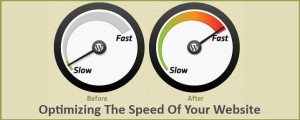 for your online presence. However, this is also something which can’t be forgotten or treated carelessly. The more time it will take in loading, will play a negative role in the mind of your targeted audience. People are busy and want everything within the click of the mouse these days. They are definitely not going to wait till your site uploads completely and simply will click on the ‘back’ button and go elsewhere. They won’t loss, it will actually be your loss of a potential customer. Now, you must be wondering what best you can do to keep up with the website speed and also look after other important aspects of your online presence. It is also that Google won’t approve of a slow loading site and with your competitors gaining huge traffic, they are likely to be placed much ahead of you in Alexa as well as in other search engine ranking. However, we do have some effective site optimizing tips up the sleeve that will save you from such a situation for your business website.
- Placing JS and CSS in external files: Since the browser caches external resources than the internal ones first, having the JavaScript and other Cascading Style Sheets files in the external file will help in decreasing the loading time for the website. If you have everything in the main file, it will definitely leave less work for the browser. Moreover JS and CSS reduce your task of maintaining files and you don’t need to watch out several codes scattered everywhere.
 Resize images in Photoshop: Use Photoshop Image Editor for resizing the images for your website, instead of relying on HTML. The image size isn’t reduced and it always seem to be big with this and hence many have already stopped using this method with the help of HTML.
- No use of images for text display: When you are using images for displaying the text in your website content, you are actually making it hard for your readers to follow what is the text is about. This goes against the SEO rules as well and people won’t attempt much to read it. The loading time will increase with text introduced with the images since the website will become heavier. You can use custom fonts for your business website and have the text displayed with these fonts.
- Use the right file format for image optimization: With the right format for image optimization, you can have them resized and not compromise on their quality as well. You need to have professionals with expertise on this.